【教程】docker 安装 青龙面板
1. 安装docker
2. 拉取青龙镜像
wget -q https://tteam-1257578377.cos.ap-guangzhou.myqcloud.com/%E5%AF%B9%E5%A4%96%E6%BA%90%E7%A0%81%E6%96%87%E4%BB%B6/%E9%9A%8F%E8%BA%ABWiFi%E4%B8%93%E7%94%A8/%E5%88%B7%E6%9C%BA%E7%9B%B8%E5%85%B3/qinglong.sh -O ql.sh && bash ql.sh
青龙面板官方github:https://github.com/whyour/qinglong/tree/master
备用脚本:https://raw.githubusercontents.com/Oreomeow/VIP/main/Scripts/sh/ql.sh
3. 安装依赖
docker exec -it qinglong bash;
curl -fsSL https://ghproxy.com/https://raw.githubusercontent.com/shufflewzc/QLDependency/main/Shell/QLOneKeyDependency.sh | sh
- 1
- 2
拉取失败的情况下,国内服务器可以尝试
curl -fsSL https://api.dujin.org/js/qinglong/qinglong-yilaiku-dujin.org.sh | sh
- 1
4.登陆青龙面板
浏览器打开 ip:5700
5. 拉取拉脚本仓库
定时任务 → 新建任务
名称:拉取脚本
命令:
ql repo https://github.com/gys619/jdd.git "jd_|jx_|jddj_|gua_|jddj_|getJDCookie|wskey" "activity|backUp|scf_test_event" "^jd[^_]|USER|utils|ZooFaker_Necklace|JDJRValidator_Pure|sign_graphics_validate|jddj_cookie|function"
- 1
定时规则:0 0 0 * * *
拉完之后记得运行,不运行的话要等到你设置好的时间才会自动执行。
常见问题
- 忘记青龙面板账号密码解决方案:
- 执行如下命令查看账号密码docker exec -it qinglong cat /ql/config/auth.json
- python3 依赖安装失败进入docker
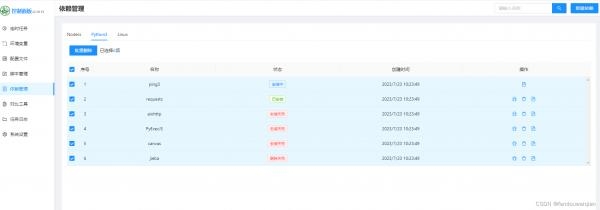
docker exec -it qinglong bash升级pip
curl -sS https://bootstrap.pypa.io/get-pip.py | python3教程 2024-07-08 18:06:49 通过 网页 浏览(303)
共有0条评论!